Showing posts with label unity. Show all posts

Wednesday, 7 May 2014

BlobTurntable|Machinima

After having few problems with the importing Blob model to Unity I've created an interactive turntable. I followed exactly same procedure as I did with the Alien, camera was set to mouse orbit (empty game object as target), set few different lights and a cube for the model to stand on. I used same script as before to make animation play random (this time I had 6 different animations to play).
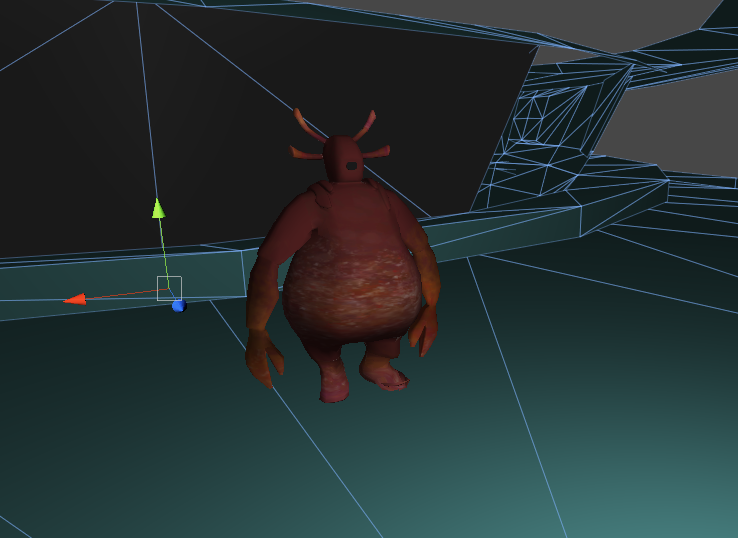
Going back to what I said at the beginning of this post - the problem was that the eye was going crazy while playing the animations, which is weird because it work perfectly in Maya. It could be due number of reasons, but in the end after importing same file twice, eye started behaving better and was only going a bit off the main mesh when turning head.

Friday, 2 May 2014

Exporting model to Unity|Machinima

 Before finishing animating Blob, I've decided to do a little, quick test and import it to Unity. I selected mesh in Maya and exported it first as DAE_FBX format. I also ticked 'bake animation' box. After importing it as asset to Unity I found out that the model was really stretched and messed up. I went back to Maya and exported it as just FBX, again ticking 'bake animation' and embed media' boxes. This time model worked perfectly and the only things I had to change were scale (from 0.1 to 1) and change animation setting to 'Legacy'.
We used this time to test other assets and to make sure everything work fine in Unity. Corridor Katherine modeled had some issues with normals, which had to be reversed at certain places (which was easily done by selecting faces and clicking 'reverse normals' option in Maya).

Tuesday, 25 March 2014

Alien-Turntable|Machinima

Last part of the Biped Alien Task was creating an interactive turntable in Unity.

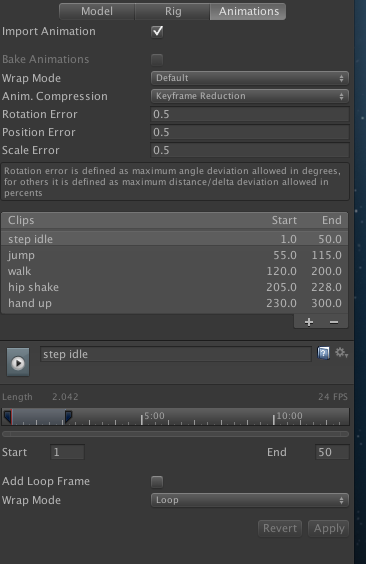
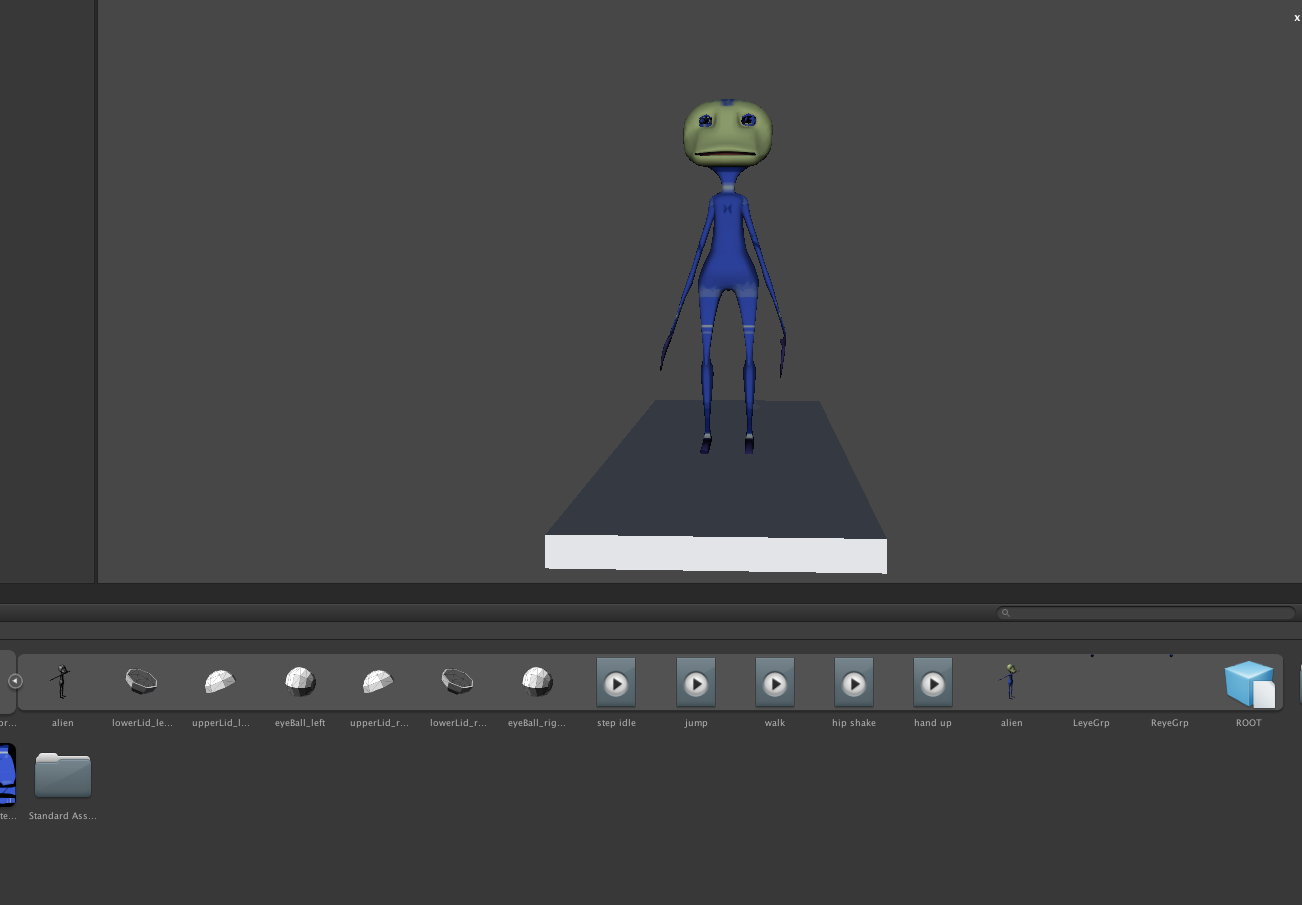
I started by importing my alien model into the assets (animations were baked before exporting from Maya) and re-connecting textures with the mesh. I set animation type to 'Legacy', so it can be played and I set all my 5 different circles by typing frame numbers and names into a clips section in animations menu.
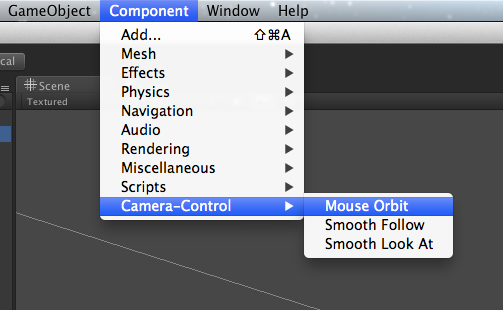
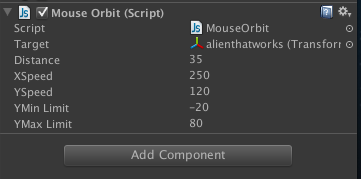
I've then created a camera and directional light. With camera, I've used Camera Components - Mouse Orbit option, so camera can orbitate around the model. I used an empty game object as a target for camera, as aiming on the model wasn't really working well for me.
 Next step was applying script to allow animations be played random. I copy-pasted script from eStudio, changed 'idle' to the relevant names for my character animations (var anims=new Array("step idle","jump","walk","hip shake","hand up"). I used MonoDevelop for changing Javascript, not Unitron, as it started to crash on uni computers. I then dragged script onto the character in hierarchy. And that's all. Whole process is fairly straight foward and quite enjoyable.
I saved my turntable as a standalone.

Friday, 15 November 2013

BAF Game Day1|PPP2


This year Bradford Animation Festival is celebrating 20th anniversary with a beautiful Idents and Sting created by Joanna Quinn.I've stayed only for a Game part of the festival and really enjoyed talks by various professionals. Below is a little summary of what happened during the first day.
After a short introduction done by Jamie Sefton our first speaker was Mike Bithell.

Mike Bithell - indie game developer, creator of  Thomas Was Alone. He talked mostly about his new, upcoming indie stealth game Volume.  I really liked the gameplay ideas and the plot - re-telling story of Robin Hood in completly new, sci-fi settings. Game is being developed for 5 different platforms, including PS4 and PSVita and Danny Wallace will be one of the voice actors.

Steve Lycett - SUMO Digital - worked on many titles, including Split Second and various SEGA games. His latest project was Katsuma Unleashed - a handheld game that he and his team were able to produce in just over 7 months. Steve talked a lot about pre-production of this title and showed us WIP gameplay, animation tests for different characters, intro video.Another game presented was Sonic All Stars Racing Transformed. This one took 3 years to make and was quite challenging - everything had to be animated and each environment unique and interesting.

Karl Abson - lecturer at Bradford University, talked about techniques of animal motion capture. He also talked about the uses of mo-cap and difficulties of working with animals - in his case, with horses. Although it's a very hard and time consuming process, the effects produced during session are far better and more realistic/believable than when animated by key framing (mo-cap is a data driven animation). iKinema was another thing metioned during this talk - it's a plugin for Maya that allows a real time skeleton mapping with mo-cap session.


Warren Spector - game designer, best known for his work on Deus EX and Epic Mickey, although he worked in game industry for many years. He presented all his work on Epic Mickey, talked about balancing visuals & gameplay, player control, camera position, character evolution. He also shared some tips and few stories.

Phil Gray - TT Games - best part of a day, really good talk about LEGO brand and new game in franchise - LEGO Marvel Superheroes. I like LEGO games, mostly because of the fun gameplay, and hoped to see some behind the scene, pre-production stuff, however this talk was full of in-game cutscenes and trailers.

Monday, 18 March 2013

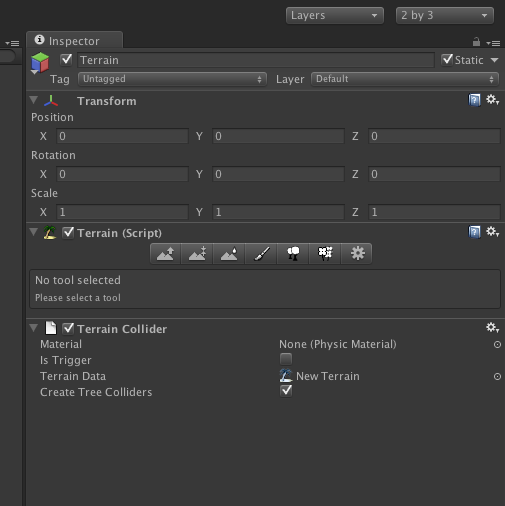
Unity Tutorials| Terrain Tool

 During this session we were introduced to the terrain tool in Unity.
Tools sets for creating terrain are quite simple and easy to use.

 Below steps of my first ever play with it:

  • started with creating quite random mountain shapes


  • added water and some textures
  •  palm and banana trees added :)
  • added wind zone
Even though this level is quite simple and rough I've learned a lot and I might use Unity in creating my future concepts for this brief.